The sensors used in indoor autonomous robots split into distance sensors, contact and drop sensors, and motion sensors, and most robots combine them because each type fails in a different way.
This catalogue supports the wider guide to indoor autonomous robots. It lists each sensor with what it measures, who it suits and its typical weakness, so a sensor can be matched to a job without a head-to-head such as lidar vs camera for robot navigation.
How to read this sensor catalogue
Robotic sensors let a system measure properties of the physical world, and robots use them to evaluate their surroundings so they can respond to and manipulate their environment, as the robotics component supplier Acroname explains. Each item below answers three questions: what the sensor measures, which job it suits, and where it tends to let the robot down.
No ranking is implied. A sensor that is ideal for creeping along a wall is a poor choice for knowing how far the wheels have turned, so the items follow the path of the signal instead. Outward-looking distance sensors come first, then contact and drop sensors, then the sensors that report on the robot’s own motion.
Acroname also notes that you will be hard-pressed to find analog sensors in an autonomous system. In practice the sensors described here deliver digital readings that software can use directly.
Distance sensors that look outward
Distance sensors answer the question every mobile robot asks first: how far away is the nearest thing in this direction? They differ in the kind of wave they send out and in how much data they return.
Time-of-flight sensors
A time-of-flight sensor measures distance by timing a wave. Acroname describes the principle as comparing the time an emitted wave takes to leave the sensor and return. That time is then converted into distance using the medium the light, sound or radio-frequency wave travelled through.
The medium matters because the conversion depends on it. A reading is only as trustworthy as the assumption about what the wave travelled through. This is the core answer to how a time-of-flight sensor robot measures range, and the same timing idea sits behind several other sensors in this list.
- Measures: distance, from the return time of an emitted wave.
- Suits: robots that need a direct distance reading in a known direction, such as a forward obstacle check.
- Typical weakness: the result depends on knowing the medium the wave passes through, and a single sensor only reports along its own line of sight.
Ultrasonic sensors
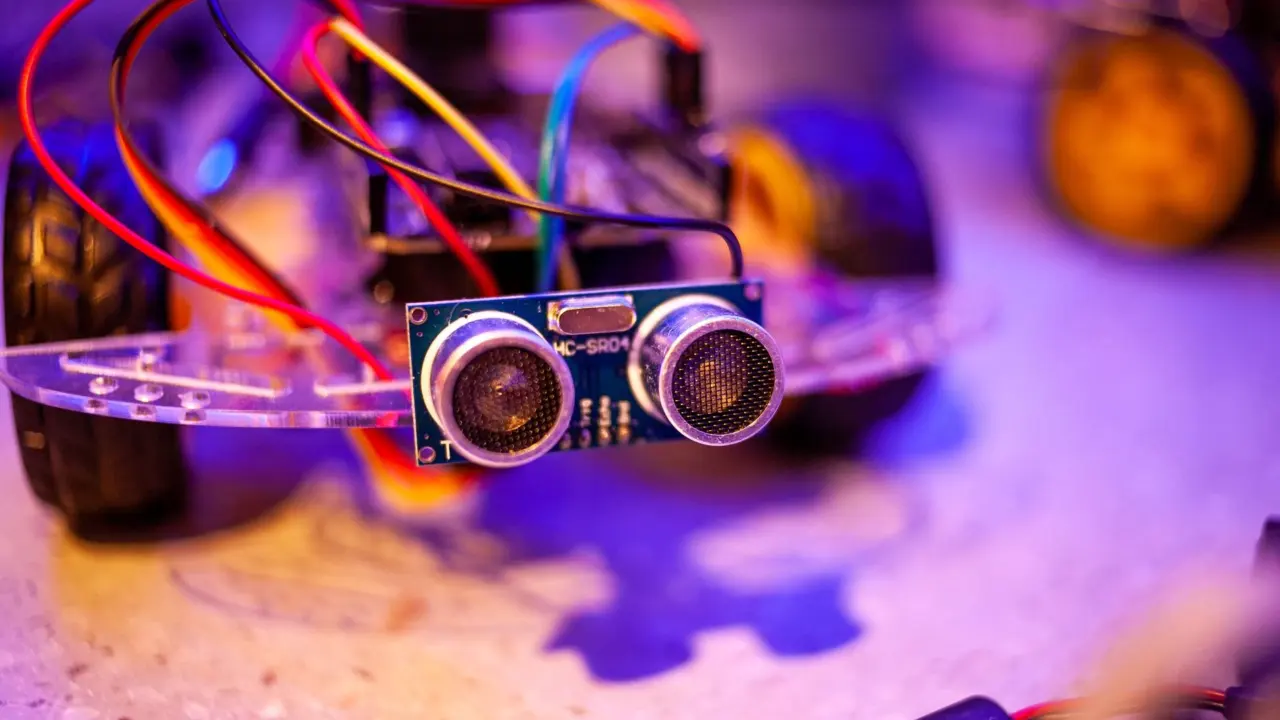
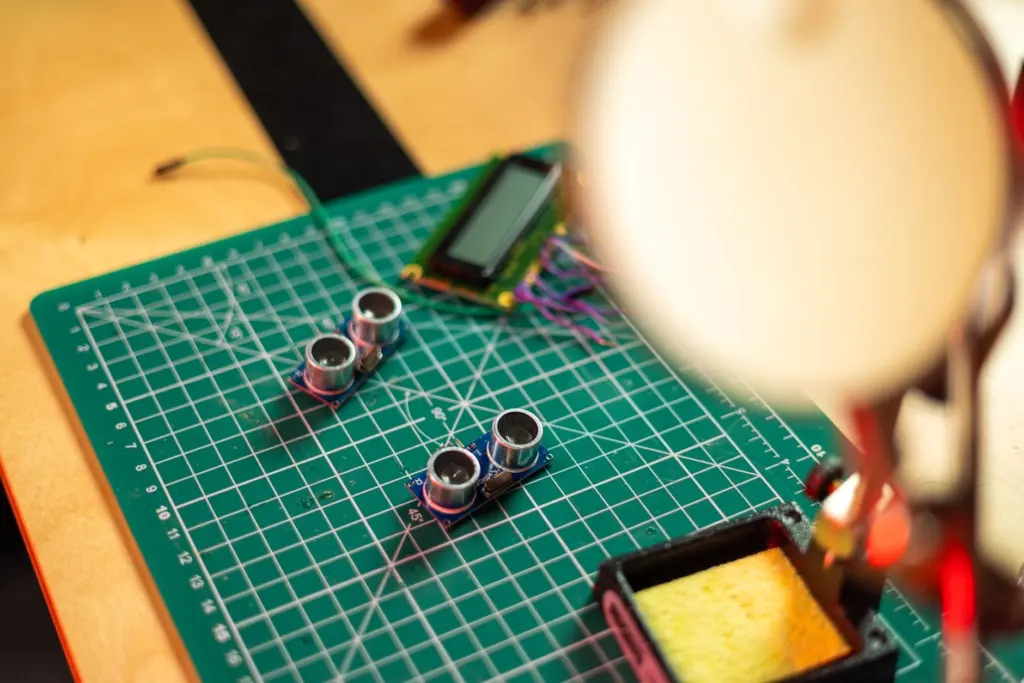
An ultrasonic sensor uses sound for the same timing job. Acroname notes that these sensors do not travel as fast or far in air as they do in water, which is why compact ultrasonic modules are mainly a short-reach tool for a robot working in air. The vendor suggests putting them in a small robot for near-field ranging and object avoidance.
Rain is a useful contrast. In the vendor’s example, an ultrasonic sensor would be less likely to be distracted by wet conditions than lidar. That is mostly an outdoor concern, so for a robot that stays inside a building it should not decide the choice on its own.
- Measures: distance, by timing a sound wave.
- Suits: small, low-cost platforms that need near-field obstacle avoidance.
- Typical weakness: sound has shorter reach in air than in water, so it is a poor fit when the robot needs to see far ahead.
Lidar
Lidar is the light-based way of ranging. It builds on the same principle of sending out a wave and reading what returns, using light as the wave. It is the sensor most people picture on top of a mapping robot, and its role is covered in more depth in the comparison of lidar vs camera for robot navigation.
Its main limit in the Acroname material is environmental. The vendor’s rain example shows that light-based ranging can be disturbed by conditions between the sensor and its target, and that a sound-based sensor may cope better in that one case. Treat lidar as a strong general-purpose ranging choice and check the datasheet for the conditions it is specified for.
- Measures: distance using light.
- Suits: robots that must see their surroundings, not just the object directly ahead.
- Typical weakness: conditions between sensor and target, such as rain in the vendor’s example, can disturb a light-based reading.
Depth cameras
A depth camera returns a picture in which each point carries a distance, so it describes a scene instead of a single line. Acroname observes that cameras have become increasingly used in automated and autonomous systems, and depth cameras are the form most relevant to obstacle sensing.
A depth camera suits a robot that has to recognise or avoid objects with a shape, not merely detect that something is in the way. The trade-off is processing: image data needs more computation than a single distance reading, so it asks more of the robot’s computer than an ultrasonic or time-of-flight module.
- Measures: distance across a view of the scene.
- Suits: robots that benefit from seeing object shape and layout.
- Typical weakness: image data must be processed before it becomes an obstacle decision.
Contact and drop sensors
Not every hazard is best handled by looking. Bumps and drops are detected by sensors that sit close to the floor and the front edge of the robot, and they act as a backstop behind the distance sensors.
Bumpers and contact switches
Bumpers answer which sensors detect bumps. Acroname gives robotic vacuums as the example: they use contact sensors in the form of bumpers that tell the computer it has found a wall. The sensor reports a collision that has already happened, so it is a last-resort measure rather than a way of planning a path.
- Measures: physical contact with a wall or obstacle.
- Suits: any robot that needs a simple, dependable fallback for the moments when its distance sensors miss something.
- Typical weakness: it only reports after the robot has touched something.
Cliff sensors
Cliff sensors answer which sensors detect drops. They look at the floor ahead of or beneath the robot, so an edge such as the top of a stair shows up as a change in the reading. Bumpers and cliff sensors therefore cover different hazards: bumpers handle things that stick up in the robot’s path, and cliff sensors handle the floor that falls away.
A cliff sensor suits any robot that could drive off a step or ledge. Its limit follows from where it points: it watches only the patch of floor near its mounting position, so it protects the part of the robot that it faces and nothing else.
- Measures: the presence or absence of floor in the sensor’s field of view.
- Suits: robots working near stairs, ledges or raised platforms.
- Typical weakness: coverage is limited to the area it points at.
Motion sensors that report on the robot itself
The last family does not look at the room at all. These sensors describe how the robot is moving, and the navigation software uses them alongside the outward-looking sensors above to keep track of where the robot is.
IMU in mobile robots
An inertial measurement unit, or IMU, measures the motion of the robot body: how it accelerates and how it rotates. It suits any robot that has to know whether it is turning, tilting or speeding up, including between readings from slower sensors. Because it describes the robot and not the room, an IMU cannot detect an obstacle, and it needs partners such as a distance sensor to be useful for avoidance.
Wheel odometry
Wheel odometry estimates how far a robot has travelled from how far its wheels have turned. The hardware is typically an encoder, a disc or similar part attached to a motor or wheel, that counts rotation. It suits any wheeled robot that needs a running estimate of its movement, and it is usually combined with an IMU so the two motion estimates can be compared.
Like the IMU, odometry knows nothing about the surroundings. It reports what the wheels did, not what the robot hit, so a wheel that slips or stalls against an obstacle still looks like motion to the encoder. Pair it with a bumper or a distance sensor to catch those cases. How these readings are combined into a map is covered in how do robots map indoor environments.
- IMU measures: acceleration and rotation of the robot body.
- Odometry measures: wheel rotation, used to estimate movement.
- Shared weakness: both are internal readings with no view of obstacles.
Matching sensors to jobs
The table collects the catalogue so each job can be matched to a sensor type. Read the weakness column as the reason to add a second sensor, not as a reason to reject the first.
| Sensor | What it measures | Typical weakness | Planning use |
|---|---|---|---|
| Time-of-flight sensor | Distance from the return time of an emitted wave | Needs the travel medium to be known; reads along its own line of sight | Direct forward distance checks |
| Ultrasonic sensor | Distance from the return time of sound | Shorter reach in air than in water | Near-field obstacle avoidance on small robots |
| Lidar | Distance using light | Conditions such as rain can disturb light-based readings in the vendor’s example | Seeing the surroundings, not just the object ahead |
| Depth camera | Distance across a scene | Image data needs processing | Recognising objects with a shape |
| Bumper | Contact with a wall or obstacle | Reports only after contact | Last-resort collision backstop |
| Cliff sensor | Floor presence ahead or beneath | Covers only the area it points at | Stair and ledge protection |
| IMU | Body acceleration and rotation | No view of obstacles | Tracking turns, tilt and speed changes |
| Wheel encoder | Wheel rotation for odometry | No view of obstacles; slip looks like motion | Running estimate of distance travelled |
The sensor roles and the ranging, rain and bumper examples in the table draw on the Acroname overview of common robotics sensors.
Choosing a combination
A practical indoor robot rarely relies on one sensor. A sensible pairing puts a distance sensor on the outside, a contact or drop sensor as a backstop, and motion sensors underneath. The weaknesses in the table then rarely line up: a bumper catches what a distance sensor misses, and a distance sensor catches what odometry cannot see.
- Small, low-cost robot: ultrasonic or time-of-flight modules for near-field avoidance, with a bumper as the backstop.
- Robot that works near stairs: add cliff sensors before anything else, because distance sensors aimed ahead do not watch the floor edge.
- Robot that must understand its space: lidar or a depth camera, with an IMU and wheel encoders feeding the position estimate.
Frequently asked questions
Do indoor robots use analog sensors?
Rarely. Acroname notes that analog sensors are hard to find in an autonomous system, where digital sensors are the norm.
Why does a time-of-flight reading depend on the medium?
The measured time is converted to distance using the medium the wave moved through, so a wrong assumption about the medium gives a wrong distance.
Is an ultrasonic sensor better than lidar in rain?
The vendor’s scenario suggests that ultrasonic sensing is less disrupted by wet weather than lidar is. That scenario concerns wet conditions, which matter little for a robot kept indoors.
What do robot sensors actually let a robot do?
They let the system measure properties of the physical world, evaluate its surroundings and respond to them.