Indoor autonomous robots navigate without GPS by combining sensors, odometry, a map and a planner. The first decision is whether your space changes often enough to need a robot that reroutes itself, or stays fixed enough for a repeating route.
This guide works as a map of the whole subject. Each section names a subsystem, the decision it drives and a deeper page to follow. If you only need the localization story, read how do indoor robots localize without gps. If you are still choosing a vehicle type, start with amr vs agv.
Decision criteria before you choose any technology
The right navigation stack follows from the building, not the other way round. Answer the questions below first, because they decide which later sections matter most to you.
Locus Robotics describes autonomous robots as relying on three core capabilities: perception, decision-making and actuation. This guide follows the same order. Perception covers sensors, decision-making covers localization, mapping and planning, and actuation covers the controller that turns a plan into wheel motion.
- How often the space changes. A corridor that never changes can be served by a simple route and a modest sensor set. A space where pallets, carts and furniture move all day needs live perception and a planner that can replan. Pick the second profile if you are unsure, because retrofitting perception later is harder than leaving it unused.
- How many people share the space. The more people walk through the robot’s working area, the more weight you should give to obstacle handling and to how the robot behaves when it cannot pass. Treat this as a first-order requirement, not a tuning detail.
- Whether you can install infrastructure. If you cannot mount beacons or tags, or do not want to maintain them, you need onboard sensing and a map. If you can, infrastructure may still help, but it adds an ongoing cost.
- Whether you build or buy. A development team that wants control over each subsystem will work in a software framework such as the Robot Operating System. A buyer who wants a working vehicle will care more about fleet tools and support.
- Whether you need one robot or many. Several robots in the same building raise coordination questions that a single robot never faces. Those questions are covered in the fleet section below.
With those criteria set, the next question is why the obvious positioning tool, GPS, is not an option inside a building.
Why indoor navigation cannot lean on GPS
A research team publishing in PubMed Central notes that GPS is only accurate outdoors. Indoors a robot therefore has to estimate its position from what it senses and how it has moved. That single constraint shapes every subsystem that follows.
Drift and why odometry alone is not enough
Odometry estimates how far and in which direction a robot has moved, using wheel rotation, inertial data or visual motion. It is cheap and fast, which makes it the backbone of short-term tracking. Its weakness is accumulated error. The same PubMed Central study states that this kind of tracking estimate drifts over time unless it is augmented by absolute location estimates.
In practice, treat odometry as a short-horizon tool. It is excellent for the next fraction of a second of motion and unreliable as the only record of where the robot has been after a long run. Anything that fixes the robot against the building, such as a map match or a recognised place, resets the error.
Infrastructure-based alternatives
Beacons, Wi-Fi and RFID can supply those absolute fixes, and they are a legitimate choice in some sites. The cost is that all of these approaches incur the cost of installing and maintaining physical infrastructure. That makes them a better fit when a building is already instrumented and a poorer fit when you need to move quickly into a new site or many sites.
The alternative is to let the robot recognise the building itself. That is the path most indoor autonomous robots take, and it is what the mapping and localization sections below describe. The dedicated guide to how do indoor robots localize without gps goes deeper on the methods and when each one breaks down.
Perception: the sensors indoor robots use
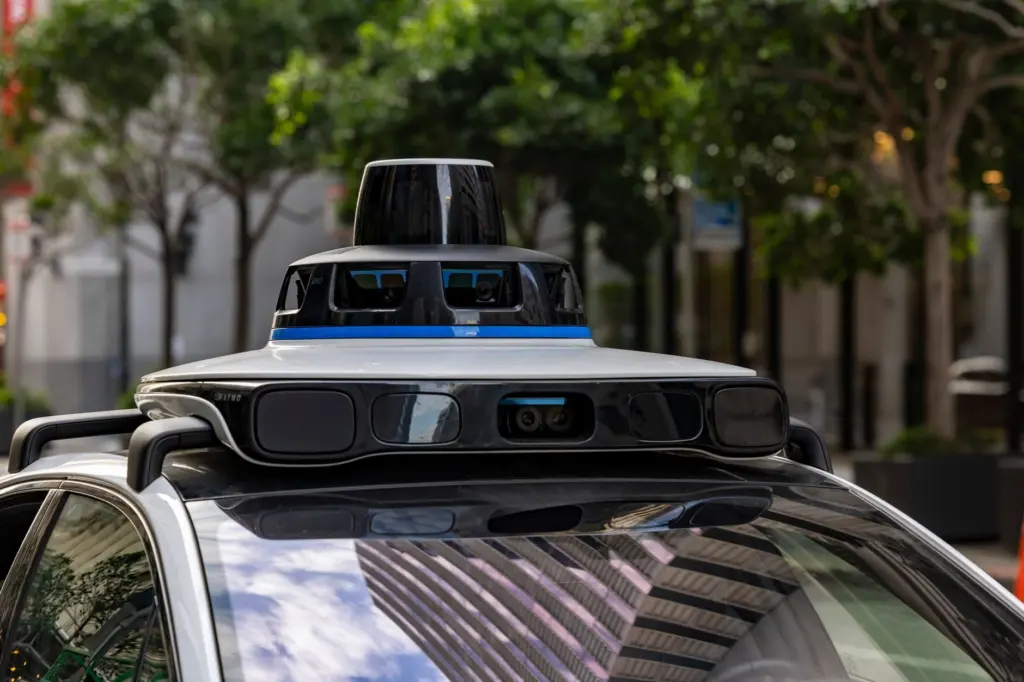
Indoor robots perceive their surroundings mainly with lidar and cameras. Locus Robotics notes that sensors such as LiDAR and cameras help robots understand their environment and detect changing conditions. Wheel encoders and inertial units usually sit alongside them to measure the robot’s own motion.

Lidar
Lidar measures distance to surrounding surfaces using light, and a planar scanner mounted low on the chassis gives a slice of the room’s geometry. It suits corridors, warehouse aisles and rooms with distinct walls, because geometry is what it senses best. It tells you about shape, not about colour or signage, so it can struggle where very different places look geometrically alike.
Manufacturers publish scan range and update rate in their datasheets. Check those figures against the longest open space the robot must cross and the narrowest passage it must enter, not against a headline number. A sensor that meets the longest span but cannot see low obstacles may still be the wrong choice.
Cameras and depth sensing
Cameras provide texture, colour and recognisable features, and depth cameras add a distance estimate per pixel. They can see objects that a low planar lidar misses, such as a box on the floor or an overhanging shelf. They are also more sensitive to lighting, so a site with dim aisles or strong sunlight through windows deserves a trial before you commit.
The trade-offs between these two sensor families are significant enough to have their own comparison, covered in lidar vs camera for robot navigation. For a broader catalogue that includes inertial and wheel sensing, see sensors used in indoor autonomous robots.
Choosing a sensor mix
- Geometry-rich, stable spaces. Start with lidar as the primary localization sensor and add cameras only where you need to see obstacles outside the scan plane.
- Feature-rich, visually distinct spaces. Cameras with an inertial unit become attractive, particularly when cost or weight limits what you can carry.
- Mixed or public spaces. Combine both, because each covers the other’s blind spots.
Odometry and visual-inertial estimation
Visual-inertial odometry fuses what a camera sees with what an inertial measurement unit feels. The PubMed Central study describes it as combining the tracking of visual features in the environment with data from the inertial measurement unit (IMU). Its output is an estimate of changes in (X,Y,Z) location and 3D orientation (roll, pitch and yaw) over time.
The method matters for two reasons. First, the camera and the IMU compensate for each other: the inertial unit bridges moments when the camera view is poor, and the camera limits the drift the inertial unit would accumulate alone. Second, it does not depend on a regular motion pattern. The study notes that it functions well even if the user is walking with an irregular gait, where simple step counting fails. That tolerance for irregular motion is a useful sign for robots that start, stop and turn frequently.
Choose it when your platform already carries a camera and an inertial unit and your space has visible features. Do not treat it as a replacement for a map, since it still produces a relative estimate. The full explanation lives in what is visual inertial odometry, and the map-building side of camera-based methods is covered in visual slam for indoor robots.
SLAM and indoor mapping
SLAM stands for simultaneous localization and mapping. The robot builds a map of the space while estimating its own position inside that map, which is the standard answer to the missing-GPS problem. The foundational explanation is in what is slam in robotics, and the practical map-building workflow is in how do robots map indoor environments.
Occupancy grid maps
The most common map product for a wheeled indoor robot is an occupancy grid map. It divides the floor plan into cells and records whether each cell is free, occupied or unknown. A planner can read that grid directly, which is why it suits navigation more than a purely visual map does. The format and its limits are covered in what is an occupancy grid map.
Locus Robotics notes that when autonomous mobile robots meet aisle congestion, changing order priorities or unexpected obstacles, they can reroute. That behaviour depends on the robot keeping a current picture of free and blocked space, not on a survey taken at a fixed moment in the past.
Loop closure and relocalization
Every map-building method accumulates small errors as the robot explores. Recognising a place the robot has visited before lets it correct the whole trajectory, and this correction is the main defence against the drift described earlier. The mechanism is explained in what is loop closure in slam.
A related failure is the robot being moved or restarted without knowing where it is. Plan for this in any site where people can lift or push robots, and read about the kidnapped robot problem before you finalise your recovery behaviour. A robot that can relocalize against its stored map is far easier to operate than one that needs a technician to reposition it.
Planning and control
Once a robot knows where it is and has a map, it must decide where to go and how to get there. This is where decision-making turns into motion, and it is usually split into a global planner and a local controller.
- Global planning. The global planner searches the known map for a route from the current position to the goal. The family of methods, and when each is a sensible choice, is covered in robot path planning algorithms.
- Local control. The local controller follows that route while reacting to what the sensors currently show. One approach worth knowing is model predictive path integral control, explained in mppi controller robotics.
Separating the two layers is a practical design choice. The global plan can be slow and thorough because it changes rarely, while the local controller has to respond quickly. When you evaluate a robot product, ask how each layer behaves when the route is blocked, since that is where most differences between vehicles appear.
Avoiding people and obstacles
Indoor robots avoid people and obstacles by sensing them continuously and replanning around them, not by following a fixed path. Robohub reports that the Relay hotel robot can move safely through public spaces and navigate around people and obstacles dynamically. Locus Robotics makes the same point for warehouses: using sensors and mapping technology, the robots can operate safely alongside people while adjusting to changing conditions.
For a buyer or a developer, that suggests several practical checks.
- Test in the real flow. A demonstration in an empty corridor says little about a lobby at peak time. Run the robot where people actually walk, stop and carry things.
- Look for a defined behaviour when the path is blocked. A robot that waits, reroutes or asks for help predictably is easier to live with than one that varies unpredictably.
- Match the sensors to the obstacles. Low or overhanging objects need a sensor that covers them, which is where depth cameras often complement a planar lidar.
The subsystem-level explanation, including how detection feeds the planner and controller, is in how do autonomous robots avoid obstacles. Standards bodies also address safety around people in industrial settings, so confirm which requirements apply to your site before deployment.
Software and hardware for building indoor robots
Developers most often build indoor autonomous robots on the Robot Operating System, usually shortened to ROS. It is a framework of tools and libraries that provides common building blocks for sensing, mapping, planning and control, so a team does not start from a blank page. The official ROS robot index lists commercial and research platforms that support it, which is a useful way to see what the ecosystem looks like in practice.

What the ROS index shows
- Ridgeback. The index describes it as a midsize indoor robot platform that uses an omni-drive, which suits tight spaces where sideways movement helps.
- Caster. It is listed as a diff-drive indoor unmanned ground vehicle suitable for research and indoor service applications, a common drive layout for corridors and rooms.
- Copernicus. The index states that it supports ROS out of the box, which shortens the path from delivery to first experiment.
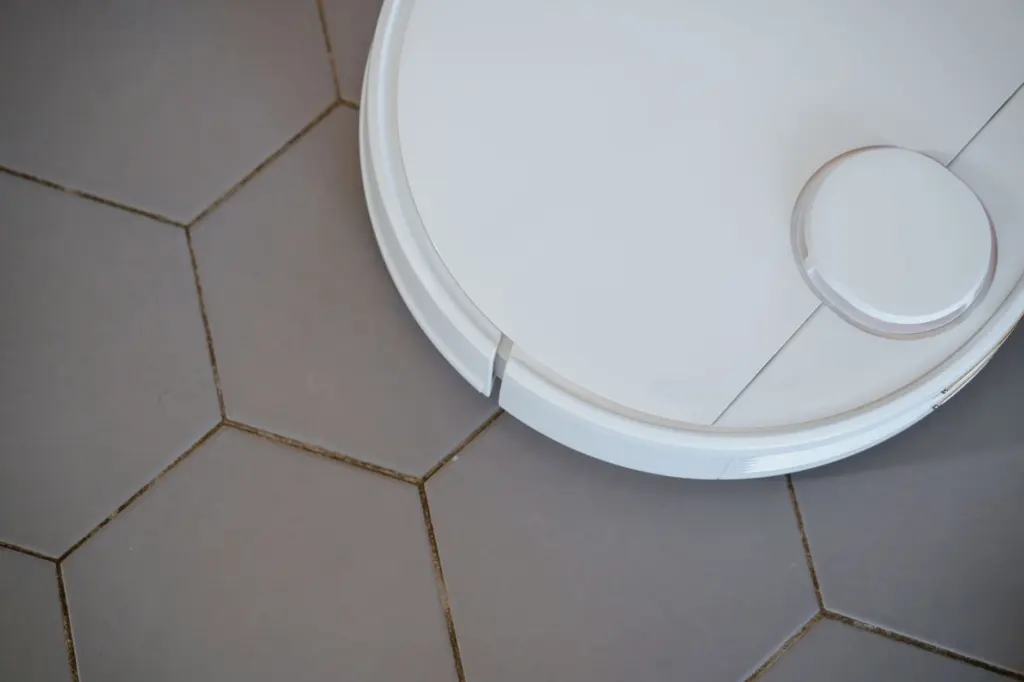
Drive type affects navigation more than it first appears. A differential-drive base turns by driving its wheels at different speeds, whereas an omni-drive base can move in more directions, which changes how the planner and controller are configured. Decide on the drive type with your tightest turns and doorways in mind.
Build or buy
Build on ROS when you need to change the sensors, the planner or the behaviour, or when you are doing research. Buy a complete vehicle when the application is standard and your priority is uptime. A middle route is to buy a ROS-supported base and add only the application layer, which keeps your effort on the part that is unique to your site.
Expect to spend your integration time on the connection between sensors, odometry and the map, because that is where indoor navigation succeeds or fails. The compute and control hardware matters less than the quality of those connections, as long as it can run the stack in real time.
Where indoor autonomous robots are used today
Indoor autonomous robots are used mainly in logistics, hospitality and healthcare, with commercial buildings an expanding market. Locus Robotics calls material transport one of the most common applications of autonomous robots, which matches the warehouse and factory focus of many vendors.
Hotels, hospitals and commercial spaces
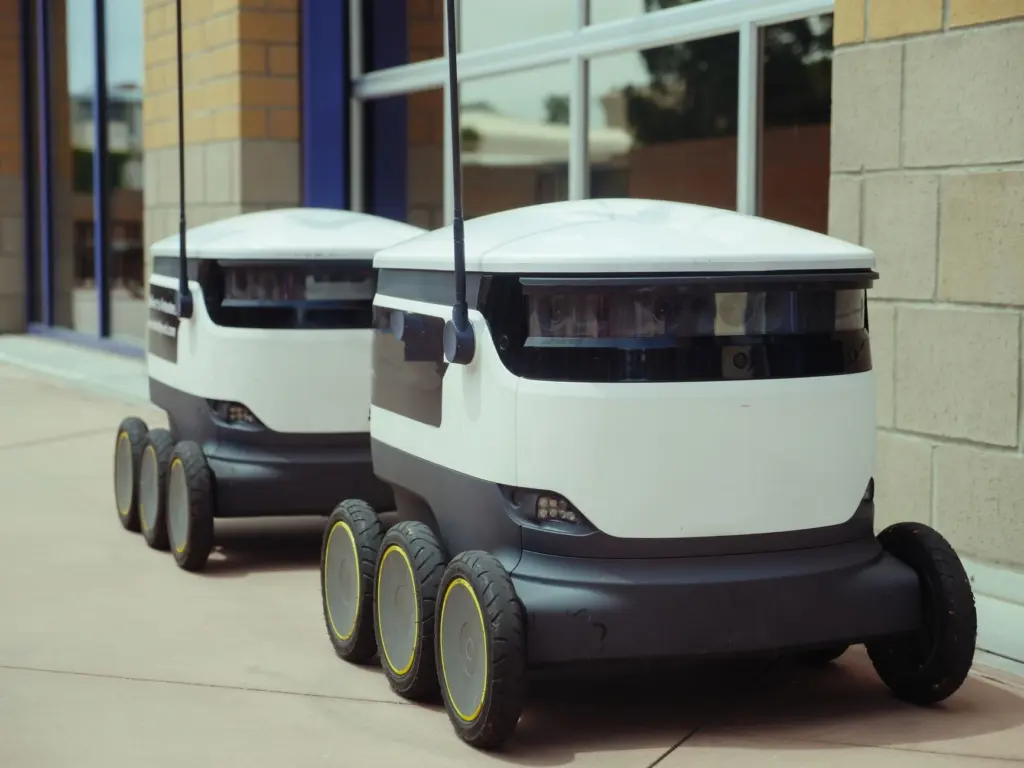
Robohub reports that the Relay hotel robots have already completed over 100,000 deliveries, and that the article’s authors see commercial spaces as the next big marketplace for robotics. It also notes that Aethon provides intralogistics in hospital environments by delivering goods and supplies using its TUG autonomous mobile robots. These are typical examples of robots carrying items between known points inside a building that people also use.
Robohub is a secondary source and the figures are the company’s reported totals, so treat them as an indication of operating scale rather than as a performance guarantee for your own site.
Industrial transport
In industrial settings, the DeviceBase overview of autonomous mobile robots says industrial AMRs move through facilities without interfering with the surrounding devices or people. It lists the Robotnik RB-1 BASE as a platform designed as payload transport for indoor industrial applications. Industrial transport is the use case where the AMR and AGV distinction matters most, and the page on amr vs agv sets out when each fits.
Pick a use case where the route and the goal are clear, the environment is mapped and the robot’s job is repeatable. Those conditions let you measure whether the robot is paying its way, which is much harder with open-ended tasks.
Coordinating many robots
A single robot can be managed by hand, but a group of robots needs software that treats the facility as a whole. Locus Robotics describes such systems as designed to coordinate movement, tasks and workflows across the entire facility, not individual tasks.
That shift changes what you should evaluate. Instead of asking only how well one robot navigates, ask how the system assigns work, keeps robots from blocking each other and keeps the shared map current. Consider these questions when comparing products.
- Task assignment. Can the system reprioritise when orders change?
- Traffic handling. What happens at a narrow aisle or a doorway when several robots arrive together?
- Visibility. Can an operator see where each robot is and why it has stopped?
These topics, along with deployment practice, are covered in the guide to robot fleet management software.
Choosing where to start
If you are new to the subject, read in the order that matches your first decision. Start with localization if you are asking how a robot knows where it is, with sensors if you are specifying hardware, and with planning if you already have a map. The table below converts the evidence in this guide into planning choices.
| Situation | What the evidence points to | Planning use |
|---|---|---|
| Layout and traffic change through the day | AMRs can reroute around aisle congestion, changing order priorities or unexpected obstacles | Choose a robot with live perception and replanning rather than a fixed route |
| No appetite for installed beacons | Beacon, Wi-Fi and RFID approaches carry installation and maintenance cost | Favour onboard sensing and mapping |
| Long runs between recognisable places | Odometry drifts unless corrected by absolute location estimates | Plan for map matching and loop closure to correct drift |
| Camera and inertial unit already on the platform | Visual-inertial odometry combines visual feature tracking with IMU data to estimate position and 3D orientation | Evaluate it as a complement to wheel odometry |
The rerouting behaviour comes from Locus Robotics, and the drift, infrastructure and visual-inertial points come from the PubMed Central indoor localization study.
A sensible first project is a single robot in a mapped, low-traffic area with one repeatable task. Get localization and obstacle handling reliable there, then widen the space, add people and only then add more robots.
Frequently asked questions
What separates an autonomous robot from an automated one?
Locus Robotics puts it simply: the difference between automation and autonomy is adaptability. An automated machine follows a preprogrammed routine, while an autonomous robot senses changes and adjusts what it does.
Does visual-inertial odometry need special hardware?
Not necessarily. The indoor study ran on a standard smartphone using ARKit, which is compatible with the iPhone 6s and newer iPhone models. A robot will have different sensors and different demands, so test on your own platform. The study also reported that its ground-truth reference locations were accurate to about 1 m.
Are indoor robots always wheeled?
No. The ROS robot index also lists an educational drone kit called Clover, powered by PX4, Raspberry Pi and ROS. Wheeled bases are the most common for transport and service work, but the same software ecosystem extends to flying platforms.