Quick answer: how do autonomous robots avoid obstacles? They sense them, record them on a costmap, and let a local planner pick safe velocities every control cycle. Match the method to the hazard: static clutter, moving people or tight spaces.
This page walks the chain from sensor to wheel command. It sits within the wider guide to indoor autonomous robots, and it stays at overview depth rather than going deep on any one planner.
Choosing an approach: the decision in brief
Obstacle avoidance is not one algorithm. It is a stack of choices, and each layer answers a different question. A research paper on obstacle-avoiding robots states that obstacle avoidance is the primary requirement of any autonomous robot, so it is worth choosing each layer deliberately.
- Sensor first. Pick sensors by what must be seen: walls and furniture at floor level, low objects, or people. No planner can avoid what the sensors never report.
- Costmap second. Use a costmap when the robot must remember obstacles beyond a single sensor reading and plan around them.
- Local planner third. Pick a reactive method for simple, slow robots. Pick a sampling method such as the dynamic window approach when the robot must trade progress against clearance.
- Behaviour last. Around people, the right answer is often to slow, step aside or wait, not to find the tightest gap.
The sensing-to-velocity chain
A robot that avoids obstacles repeats the same loop. Sensors report range or depth data. That data is written into a costmap. A global planner supplies a route, and a local planner converts the route plus nearby obstacles into a velocity command for the wheels. Because the loop repeats continuously, the robot reacts to a new obstacle on the next cycle, not after a full replan.
The sections below follow that order: what sees the obstacle, where it is stored, who decides the route and who decides the next motion.
How robots detect obstacles indoors
Indoor robots usually combine a primary range sensor with cheaper close-range sensors. Each has a failure mode, and the table turns those into planning choices.

| Sensor | How it detects | Limitation or condition | Planning use |
|---|---|---|---|
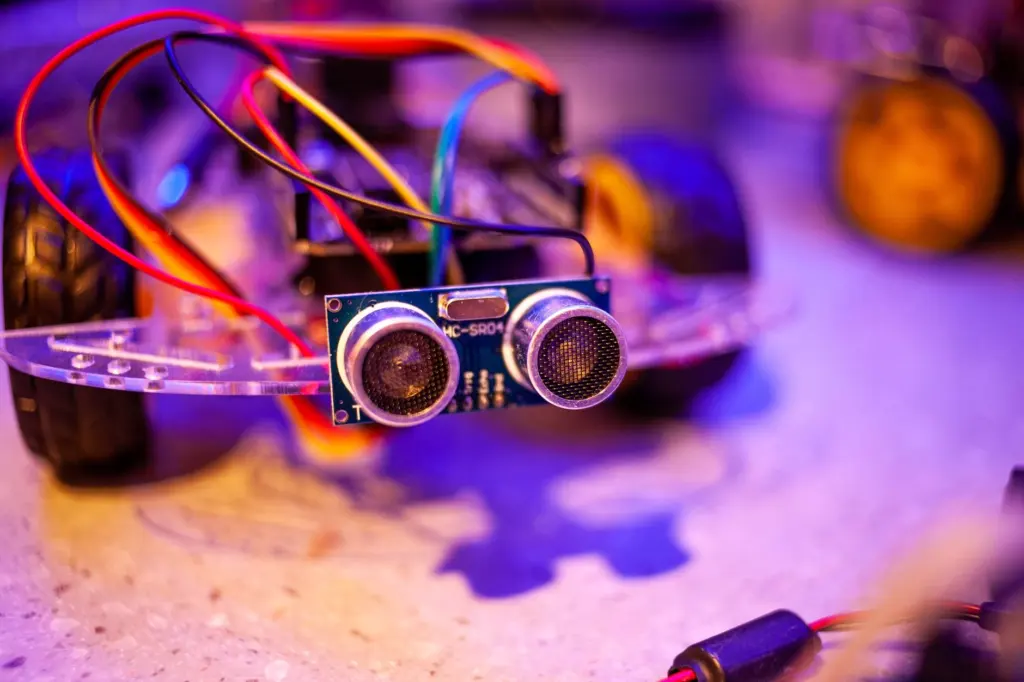
| Ultrasonic | Emits sound waves and measures the time between emission and reception to get distance | Less affected by smoke, gas and airborne particles than infrared | Cheap close-range backup, useful where dust or fumes would disturb infrared |
| Infrared | Light-based proximity sensing | Short detection range and sensitive to external light conditions | Only suited to short-range checks in controlled lighting |
| Single camera | Image-based detection of objects | Reported as able to detect movable obstacles such as walking humans indoors | Adds awareness of moving people that range-only sensors may not classify |
| Lidar | Scan data published on a scan topic | In Nav2, the local costmap obstacle layer subscribes to the scan topic | Main feed for the costmap in a typical Nav2 setup |
The ultrasonic, infrared and camera entries come from a paper on obstacle-avoiding robots, and the lidar entry from a Nav2 issue log showing the obstacle layer subscribed to the scan topic.
One practical consequence follows from simple sensor-only designs. In edge-detection style avoidance, the robot has to stop in front of an obstacle to get a more accurate measurement. That is acceptable for a slow hobby platform. A robot that must keep moving through a busy corridor needs a costmap and a local planner that can steer smoothly instead.
Global path planning versus local obstacle avoidance
Global planning chooses a route across the whole known map. Local obstacle avoidance chooses the next few motions given what the sensors see right now. The first answers where to go. The second answers how to move this moment without hitting anything.
Nav2 reflects this split. In the startup log of a reported Nav2 setup, a global planner plugin (NavfnPlanner) and a separate local controller (DWBLocalPlanner) are created as different components. For the route-level side, see the guide to robot path planning algorithms.
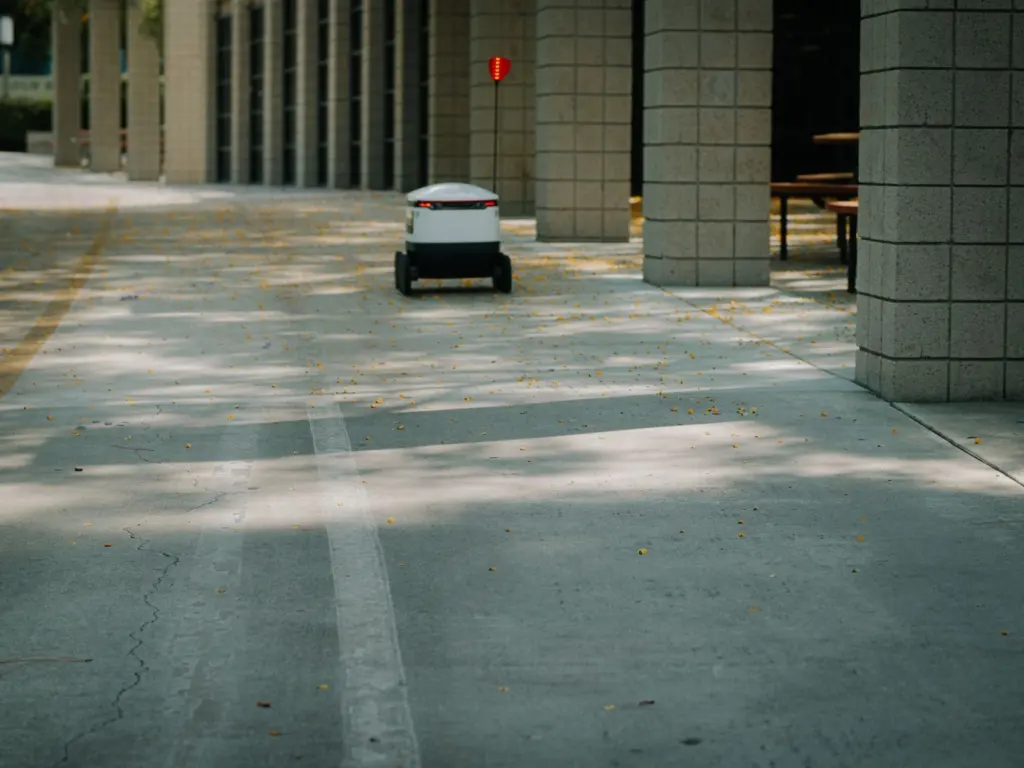
The practical difference shows in how robot types behave. According to a robotics vendor, automated guided vehicles are limited to waiting until their path is clear, while an autonomous mobile robot is not only able to avoid collisions, but can reroute and continue its task. Rerouting needs both layers working together, with local avoidance for the immediate motion and replanning for the longer detour.
Costmaps: where obstacles are remembered
A costmap is a grid in which obstacle information from sensors is turned into traversal costs. Planners read the grid instead of raw sensor data, which lets the robot keep a consistent picture of its surroundings.

Nav2 keeps a global costmap for route planning and a local costmap for nearby control. The local costmap obstacle layer is fed by a sensor topic. In the reported log, the layer subscribes to the scan topic, so lidar scans become obstacles the local controller can see.
Keep in mind that the two costmaps can disagree in practice. A reported Nav2 issue describes a case where an obstacle appears in the global costmap but the path is not updated. When behaviour looks wrong, check which costmap holds the obstacle before changing planner settings.
Reactive and sampling methods side by side
The main local methods differ in how much they look ahead. The comparison below stays at the level of what each suits.
- Potential field obstacle avoidance. Obstacles push the robot away and the goal pulls it forward, and the robot follows the combined force. It is simple and fast to compute, which suits slow robots in open rooms. Its weakness is that the pushes and pulls can cancel, leaving the robot stuck in a local minimum such as a narrow doorway or a dead-end corner.
- Dynamic window approach. The planner tries many candidate velocities the robot can reach next, scores the short paths they produce and picks the best. It respects the robot’s motion limits, so it suits differential-drive robots that must keep moving smoothly around clutter.
- Sampling over longer horizons. Methods that sample whole sequences of controls look further ahead than a single velocity choice. The guide to the MPPI controller robotics approach covers that family in more depth.
As a rule, start with a sampling method when the robot has to follow a route and also dodge obstacles, and use a pure reactive method only as a last-moment safety layer.
How the dynamic window approach chooses a velocity
The dynamic window approach picks a velocity by limiting candidates to what the robot can physically reach, simulating each one briefly and scoring the results. The highest-scoring candidate becomes the command for that cycle.
Scoring is where obstacles enter. Nav2’s DWB local planner loads separate trajectory critics, and the reported log shows a critic named BaseObstacle (dwb_critics::BaseObstacleCritic) among them. Each critic rates a candidate path on one concern, such as clearance from obstacles, and the planner combines those ratings into a single choice. Adding or reweighting critics is how the same planner is tuned to be bolder or more cautious.
This explains a common behaviour. A candidate that clips an obstacle scores badly and loses, so the robot curves away early. If every candidate scores poorly, the robot slows or stops instead of forcing a path.
Default planner and controller options in Nav2
Nav2 separates planning and control into plugins, so the global planner and local controller can be swapped independently. In the log of a reported Nav2 issue, the global planner plugin is nav2_navfn_planner/NavfnPlanner, the local controller is dwb_core::DWBLocalPlanner, and the controller frequency is set to 20.0 Hz.
The controller frequency matters for avoidance because it sets how often a new velocity is chosen. A higher rate lets the robot react to a newly detected obstacle sooner, at the cost of more computation. Check the current Nav2 documentation for your release before copying these values, because plugin names and defaults change between versions.
Behaving around people
People are not static obstacles, so the goal changes from finding a path through to staying predictable and giving way. Avoiding people with robots depends first on seeing them: a single camera can detect movable obstacles such as walking humans in an indoor space, which adds information a range sensor alone does not give.
Two supported behaviours are worth designing in:
- Yield and resume. Facing oncoming traffic, an autonomous mobile robot can move to the side to pass, wait until the coast is clear and then resume its mission. In a corridor, that is usually better than squeezing past.
- Safety fields. Mobile robots use safety fields, or speed-limited zones, so that they slow or stop when something enters a zone around them. Treat these as a separate safety layer beneath the planner, not as something the planner replaces.
Troubleshooting common problems
- Robot ignores an obstacle that is visible on screen. Confirm which costmap shows it. A reported Nav2 case had the obstacle in the global costmap while the path was not updated, so check the layers and replanning before blaming the controller.
- Local costmap stays empty. Check that the obstacle layer is subscribed to the right sensor topic. In the reported log it listens to the scan topic.
- Robot stops instead of going around. A plain AGV-style behaviour is to wait until the path is clear. If the robot should reroute, confirm that a local planner and a replanning global planner are both active.
- Unreliable close-range readings. Infrared is short-range and sensitive to external light, so ambient light can explain flickering detections. Ultrasonic is less affected by smoke, gas and particles.
- Robot hesitates near people. Safety fields slow or stop the robot by design. Review the zone size before changing the planner.
Frequently asked questions
Can a robot avoid obstacles with only a camera?
A single camera can detect movable obstacles such as walking humans indoors, so it can contribute. A range sensor such as lidar usually supplies the main costmap feed, so the camera works best as an addition.
Why does an AGV wait while an AMR drives around?
An AGV is limited to waiting until its path is clear. An AMR can reroute and continue its task, which relies on local avoidance plus replanning.
Is potential field or the dynamic window approach better?
For a robot following a route around clutter, the dynamic window approach is the stronger default because it scores whole short paths within the robot’s motion limits. Potential field suits simple, slow robots in open spaces.
Which sensor is more robust, ultrasonic or infrared?
Ultrasonic sensors are less susceptible to smoke, gas and airborne particles. Infrared sensors are sensitive to external light and have a short range.